Are you a multi-family rater inspecting and modeling projects using RESNET sampling protocol? Do you often find it tedious to model and create large batches of Ekotrope projects to represent your sampled units? Do you like spreadsheets? If you answered yes to any of these questions, then our Sample Set Generator is for you!
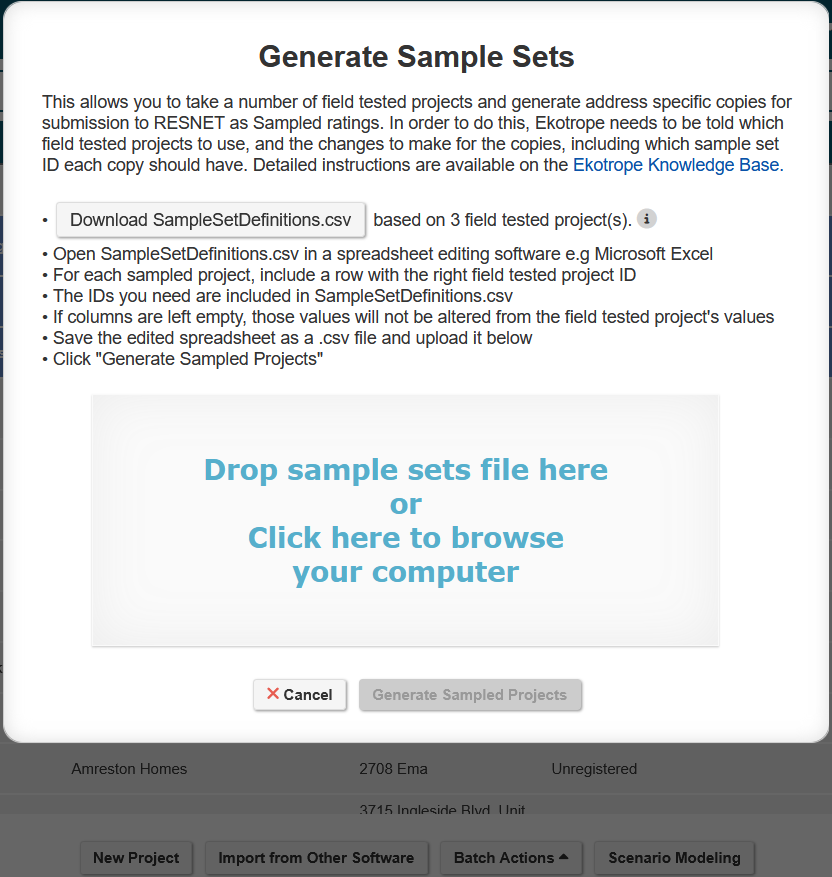
With the Ekotrope Sample Set Generator, you can use field-tested projects as a template and create copies of your units for all the other addresses in your sample set.
To start, select the projects you want to use as your templates from the My Projects page. Then, hit Batch Actions > Generate Sample Set. You can download a spreadsheet that includes the names and project IDs for these templates. To create the samples, copy the rows with the template project name and ID for each sample, then fill in the other columns of information (Sample Set ID, Lot Number etc.) Save the spreadsheet as a CSV, reupload into Ekotrope, and voila! You have created the batches of Ekotrope projects for your sampled homes.
Was this article helpful?
That’s Great!
Thank you for your feedback
Sorry! We couldn't be helpful
Thank you for your feedback
Feedback sent
We appreciate your effort and will try to fix the article